Translate Your Site
This guide shows how to localize content by translating docs/intro.md into French.
Configure i18n
Update docusaurus.config.js to add the fr locale:
docusaurus.config.js
export default {
  i18n: {
    defaultLocale: 'en',
    locales: ['en', 'fr'],
  },
};
Translate a doc
Copy docs/intro.md into the French docs path:
mkdir -p i18n/fr/docusaurus-plugin-content-docs/current/

cp docs/intro.md i18n/fr/docusaurus-plugin-content-docs/current/intro.md
Translate i18n/fr/docusaurus-plugin-content-docs/current/intro.md.
Start localized preview
Run the site in French locale:
npm run start -- --locale fr
The localized site is available at http://localhost:3000/fr/.
caution
In development mode, only one locale can run at a time.
Add a locale dropdown
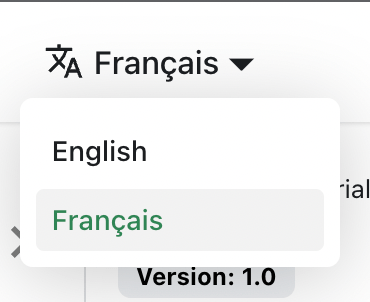
Add a navbar locale dropdown to support language switching.
Modify the docusaurus.config.js file:
docusaurus.config.js
export default {
  themeConfig: {
    navbar: {
      items: [
        {
          type: 'localeDropdown',
        },
      ],
    },
  },
};
The locale dropdown appears in the navbar:
Build localized output
Build your site for a specific locale:
npm run build -- --locale fr
To build all locales in one run:
npm run build
Localization quality checklist
- Keep source and translated page structure aligned.
- Preserve code blocks and command examples.
- Validate internal links in each locale build.
- Assign ownership for ongoing translation updates.