Manage Docs Versions
Docusaurus can manage multiple versions of your docs.
Create a docs version
Release a version 1.0 of your project:
npm run docusaurus docs:version 1.0
The docs folder is copied into versioned_docs/version-1.0 and versions.json is created.
After the command, you will have two versions:
1.0athttp://localhost:3000/docs/for the version 1.0 docscurrentathttp://localhost:3000/docs/next/for the upcoming, unreleased docs
Add a Version Dropdown
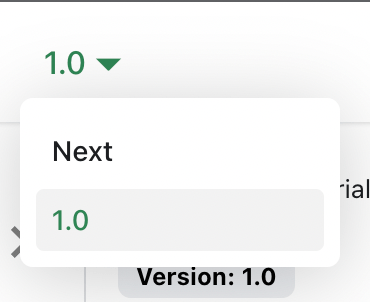
Add a version dropdown in the navbar so readers can switch releases quickly.
Modify the docusaurus.config.js file:
docusaurus.config.js
export default {
  themeConfig: {
    navbar: {
      items: [
        {
          type: 'docsVersionDropdown',
        },
      ],
    },
  },
};
The docs version dropdown appears in the navbar:
Update an existing version
Update versioned content in its corresponding directory:
versioned_docs/version-1.0/hello.mdupdateshttp://localhost:3000/docs/hellodocs/hello.mdupdateshttp://localhost:3000/docs/next/hello
Operational guidance
- Version only when release behavior or APIs change materially.
- Avoid modifying past versions unless fixing factual errors.
- Document deprecations and migration steps with each release.